> ## Documentation Index
> Fetch the complete documentation index at: https://docs.tensionhost.com/llms.txt
> Use this file to discover all available pages before exploring further.
# Setting the MOTD on your Minecraft server
> Learn how to set and customise the MOTD (Message of the Day) on your Minecraft server. This step-by-step guide covers everything you need to know to make your server stand out in the multiplayer browser.
## Introduction
Looking to change the MOTD of your Minecraft server? You're in the right place!
In this guide, you will learn how to see the MOTD of your server and tools to help you along the way!
## What is a MOTD?
 The MOTD (Message of the Day) is the short description that appears directly beneath your server name in the Minecraft Java or Bedrock multiplayer server list. Most server owners use it to display live updates, announcements, upcoming events, or promotions to attract new players before they even join, but you can put whatever you like!
## Setting the MOTD
The MOTD (Message of the Day) is the short description that appears directly beneath your server name in the Minecraft Java or Bedrock multiplayer server list. Most server owners use it to display live updates, announcements, upcoming events, or promotions to attract new players before they even join, but you can put whatever you like!
## Setting the MOTD
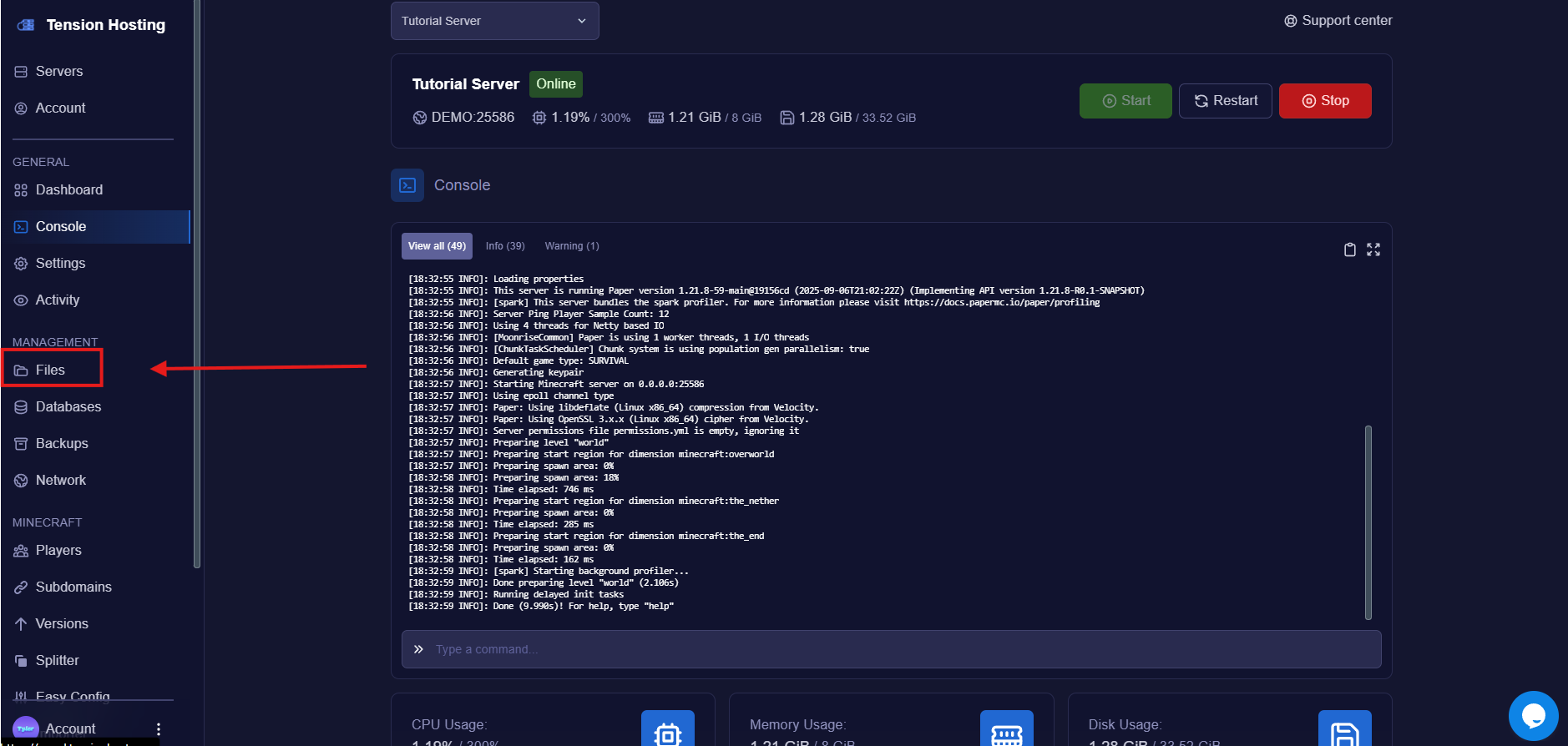 This is where most of the configuration for your server is and where we will find the settings to change the MOTD
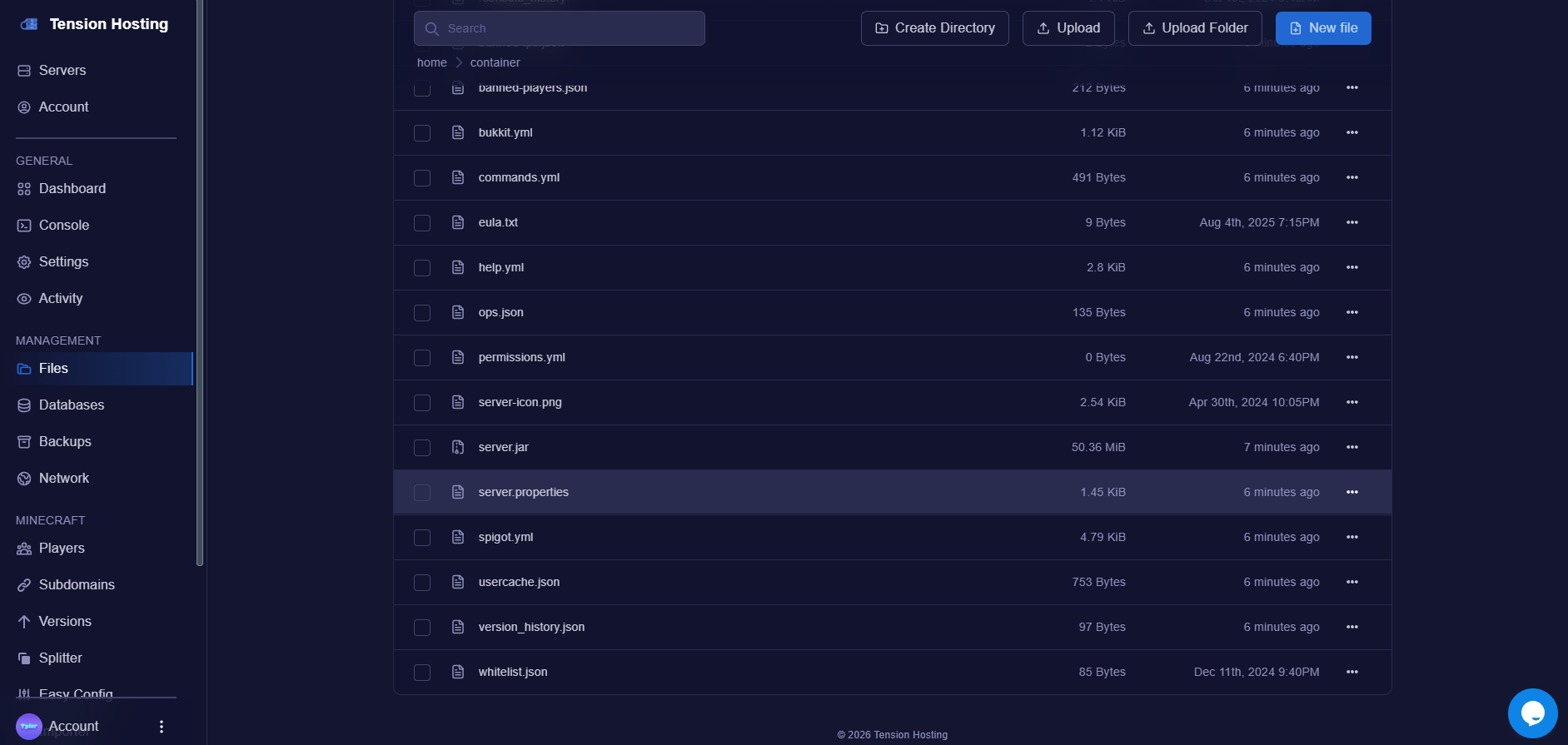 Open this file by pressing on it.
Now that the file is open, find the line called " MOTD." You can use the CTRL + F shortcut to find it more easily.
Open this file by pressing on it.
Now that the file is open, find the line called " MOTD." You can use the CTRL + F shortcut to find it more easily.
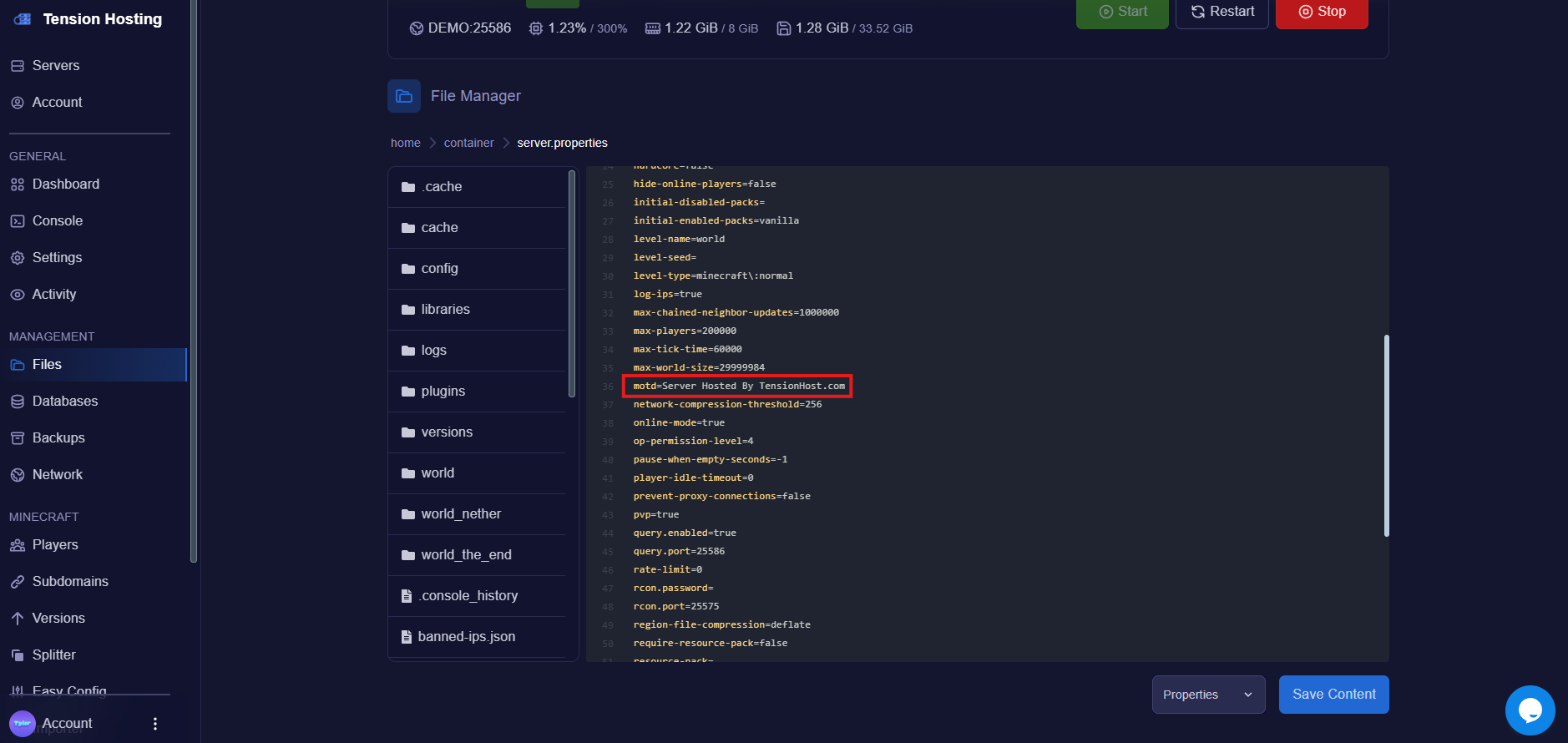 Change the text after the MOTD= hit save and then restart your server!
It's that easy!
## How do I style the MOTD?
We recommend using tools like this [motd creator](https://mctools.org/motd-creator) to create and style your MOTD to your liking and even preview changes before publishing!
## Still stuck?
If you need any more support, join our [Discord](https://discord.tensionhost.com) or open a [ticket](https://billing.tensionhost.com/tickets/create)