> ## Documentation Index
> Fetch the complete documentation index at: https://docs.tensionhost.com/llms.txt
> Use this file to discover all available pages before exploring further.
# Adding Sub-users
> How to add sub-users on your Tension server.
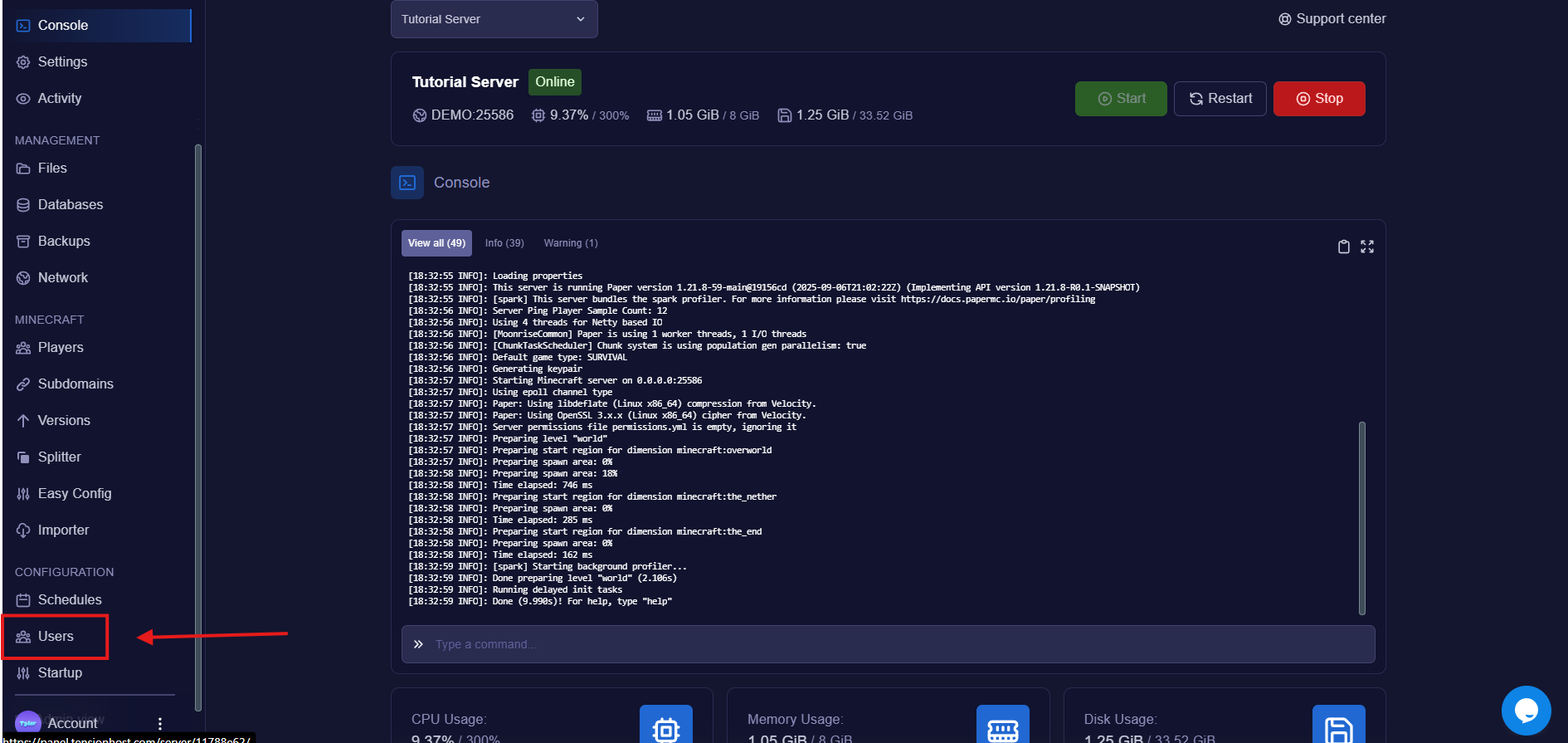
You can find this on the sidebar or see the image below
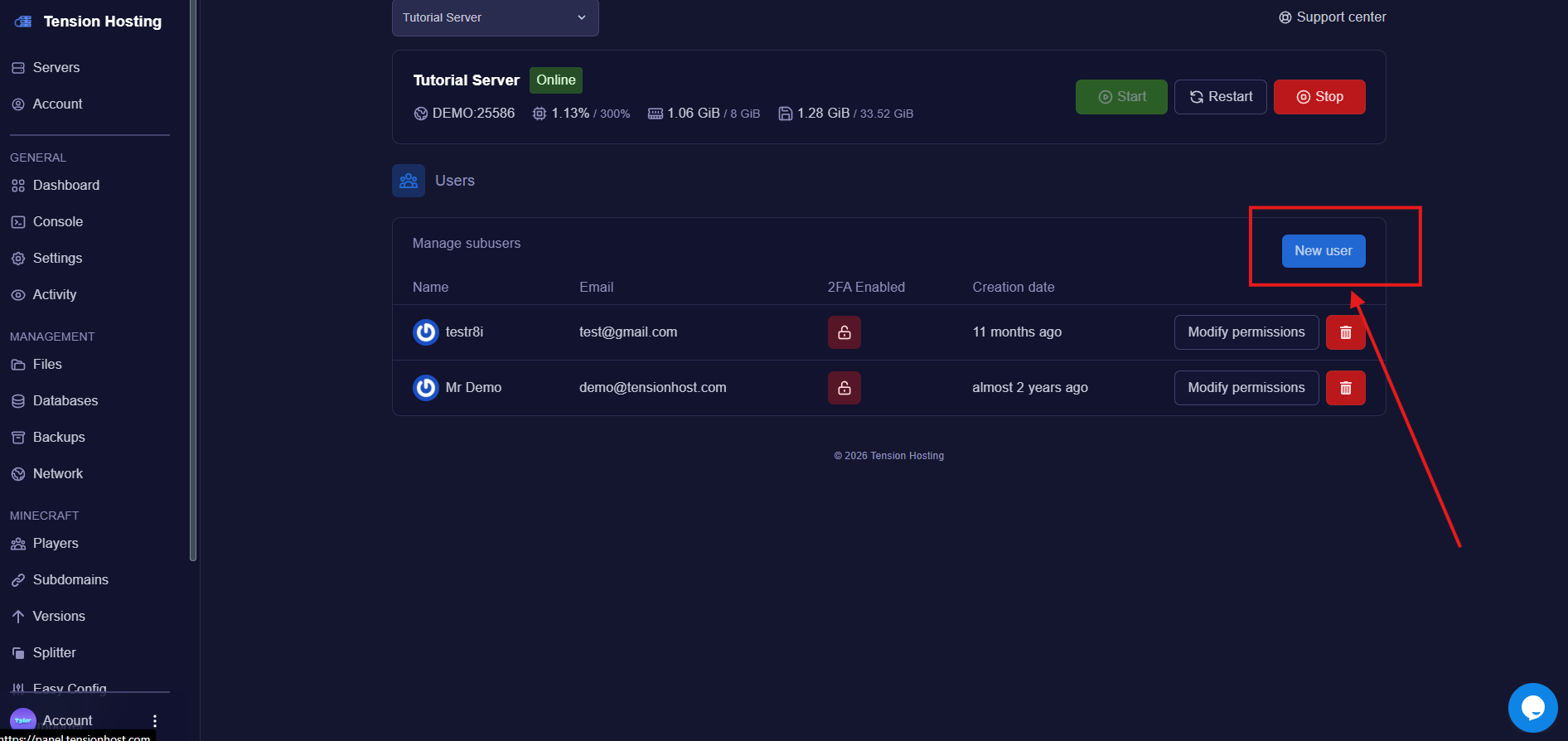
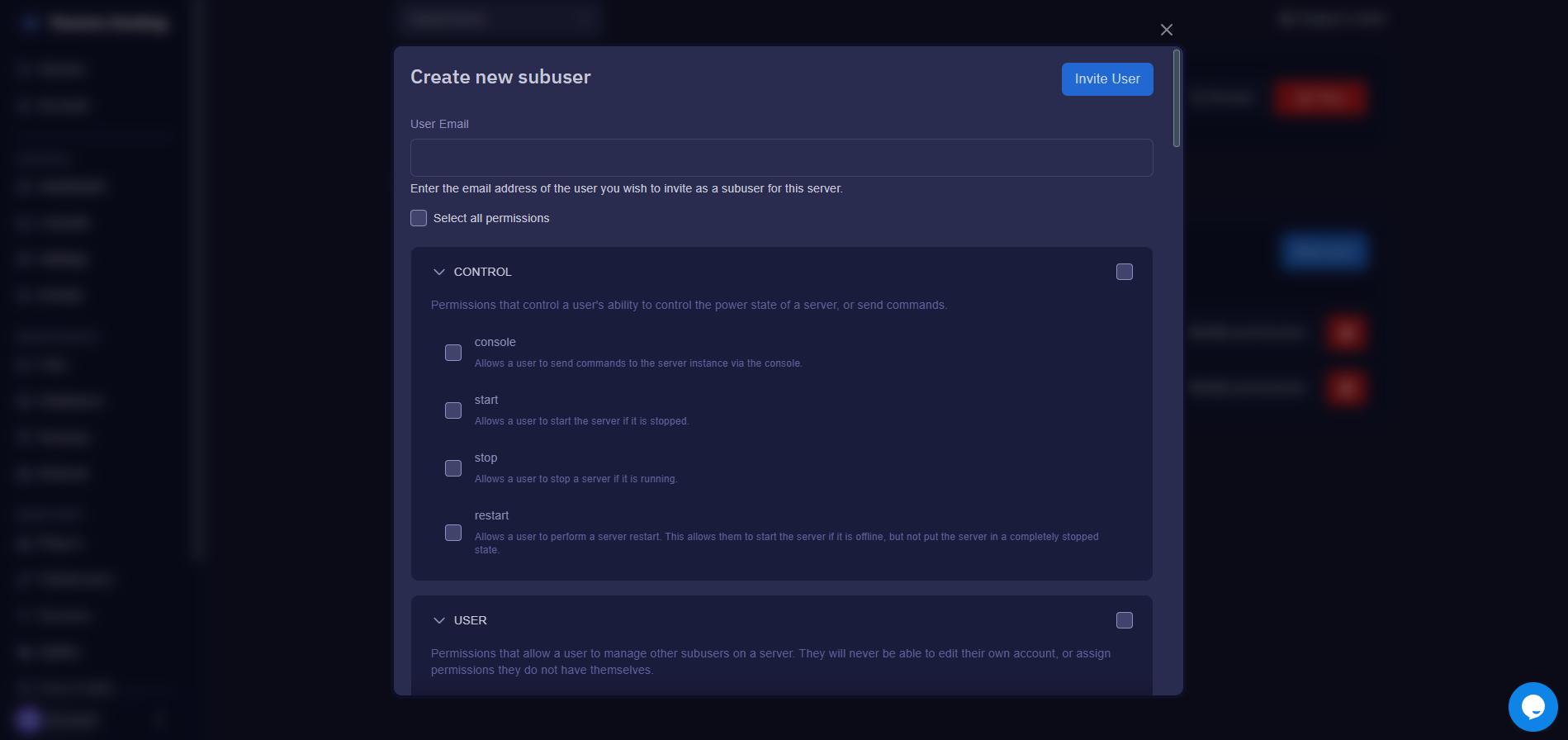 After you enter the email, you can select the permissions you would like to give to the user.
You should only give permissions to perform actions on your server to people that you **trust**
And you're done!
After you enter the email, you can select the permissions you would like to give to the user.
You should only give permissions to perform actions on your server to people that you **trust**
And you're done!
The user you added should now receive an email about an account that has been created for them on the Tension panel. The user will have to set up an account and then will be able to access your server!
## Removing a Sub-user
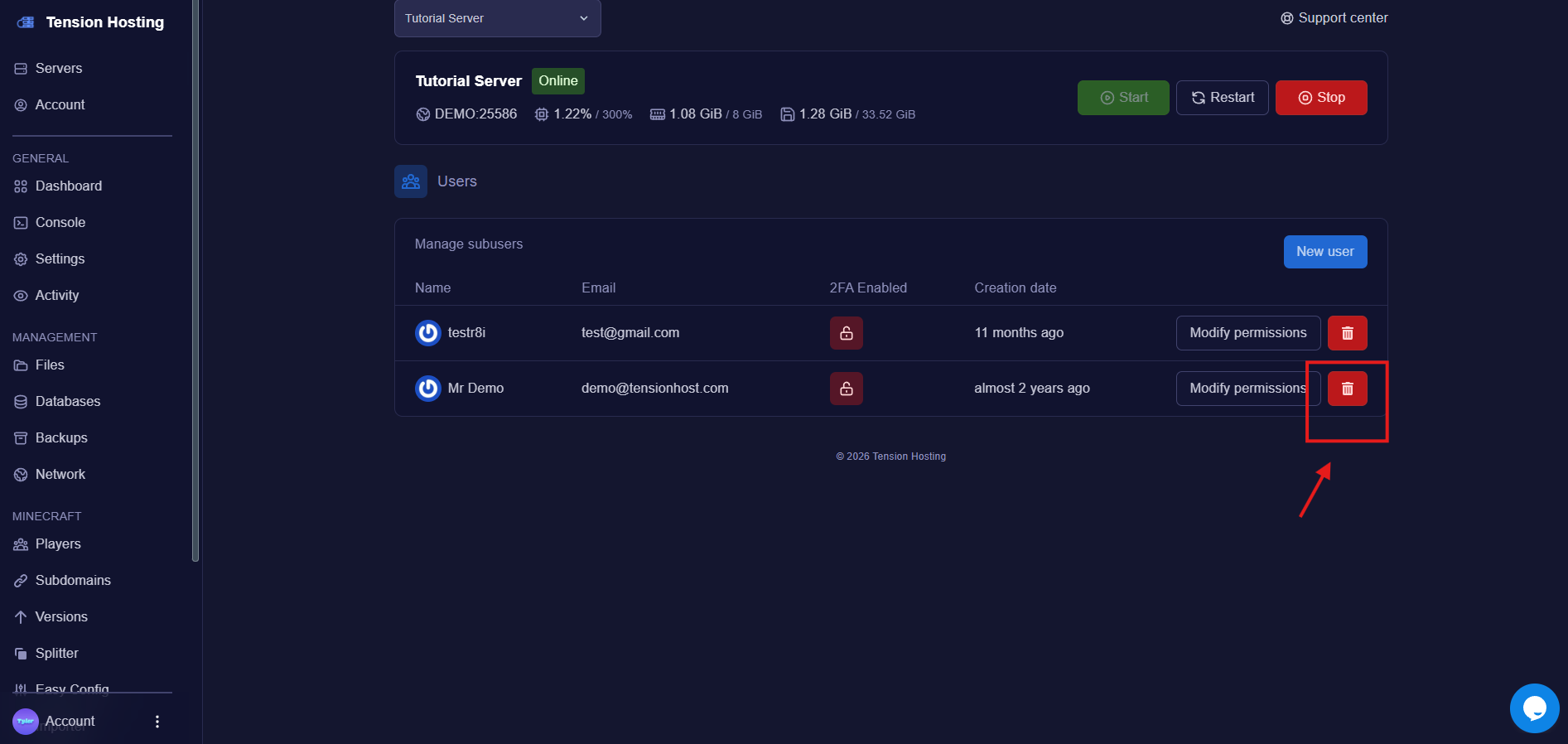
To remove a sub-user, navigate to the users tab and press the trash icon.
This will delete the user from your server, and they will no longer have access.
 ## Still stuck?
If you need any more support, join our [Discord](https://discord.tensionhost.com) or open a [ticket](https://billing.tensionhost.com/tickets/create)
## Still stuck?
If you need any more support, join our [Discord](https://discord.tensionhost.com) or open a [ticket](https://billing.tensionhost.com/tickets/create)