
What is Simple Voice Chat?
Simple Voice Chat is a free mod that adds proximity voice chat to Minecraft. Players hear each other based on how close they are in the world, and the audio fades out with distance, so sneaking up on your friends actually means something. Players can also create group channels to talk privately no matter where they are. It works on Paper, Spigot and Purpur as a plugin, and on Fabric, Forge, NeoForge and Quilt as a mod, so it fits pretty much any server you can run with us.Setting up voice chat
Voice chat audio travels over its own port, separate from the port players use to join your server. That’s why the setup is two parts: install the mod, then give it a port to use.Install Simple Voice Chat
Head to the ” Plugins ” tab on your server and install Simple Voice Chat, then start your server once so it can generate its config files.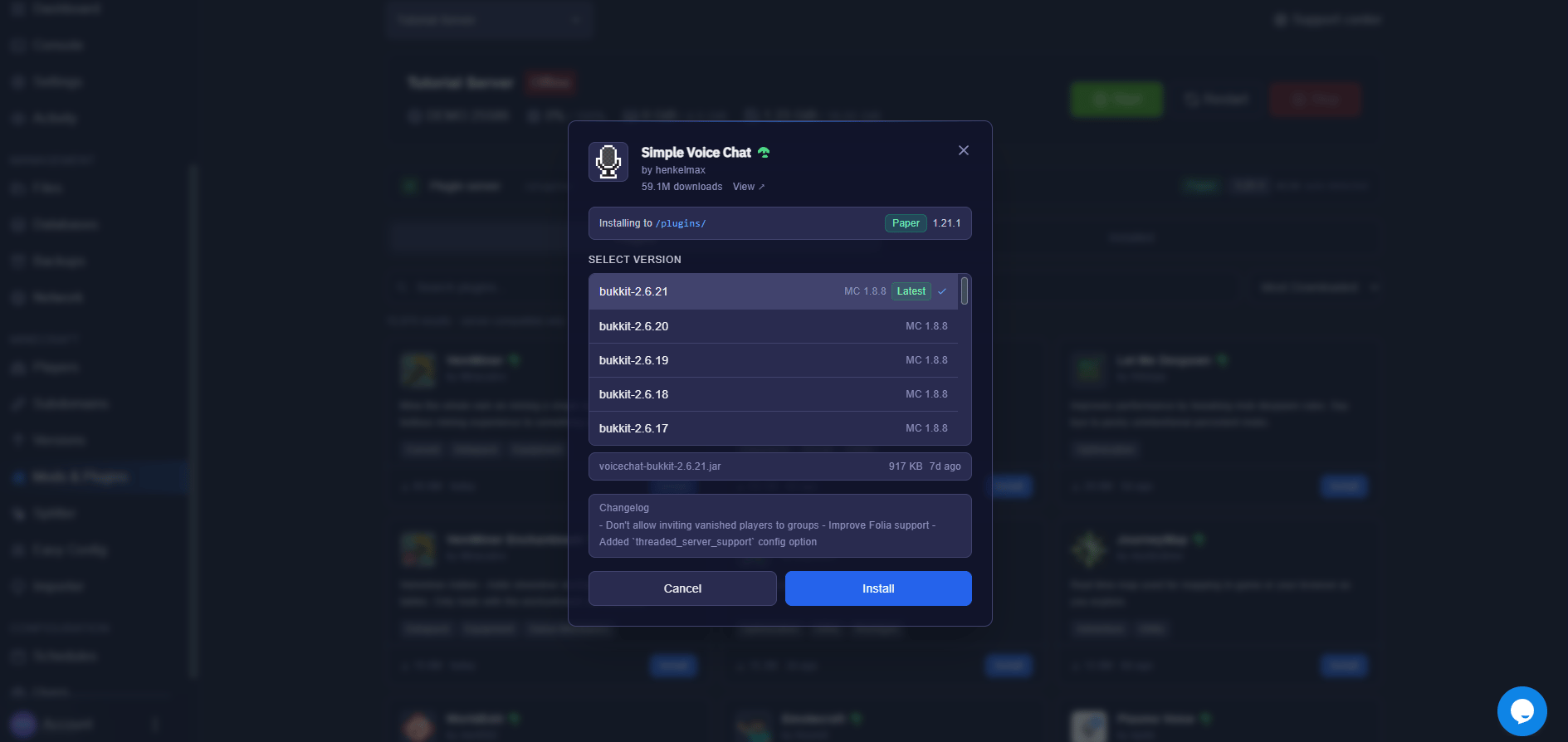
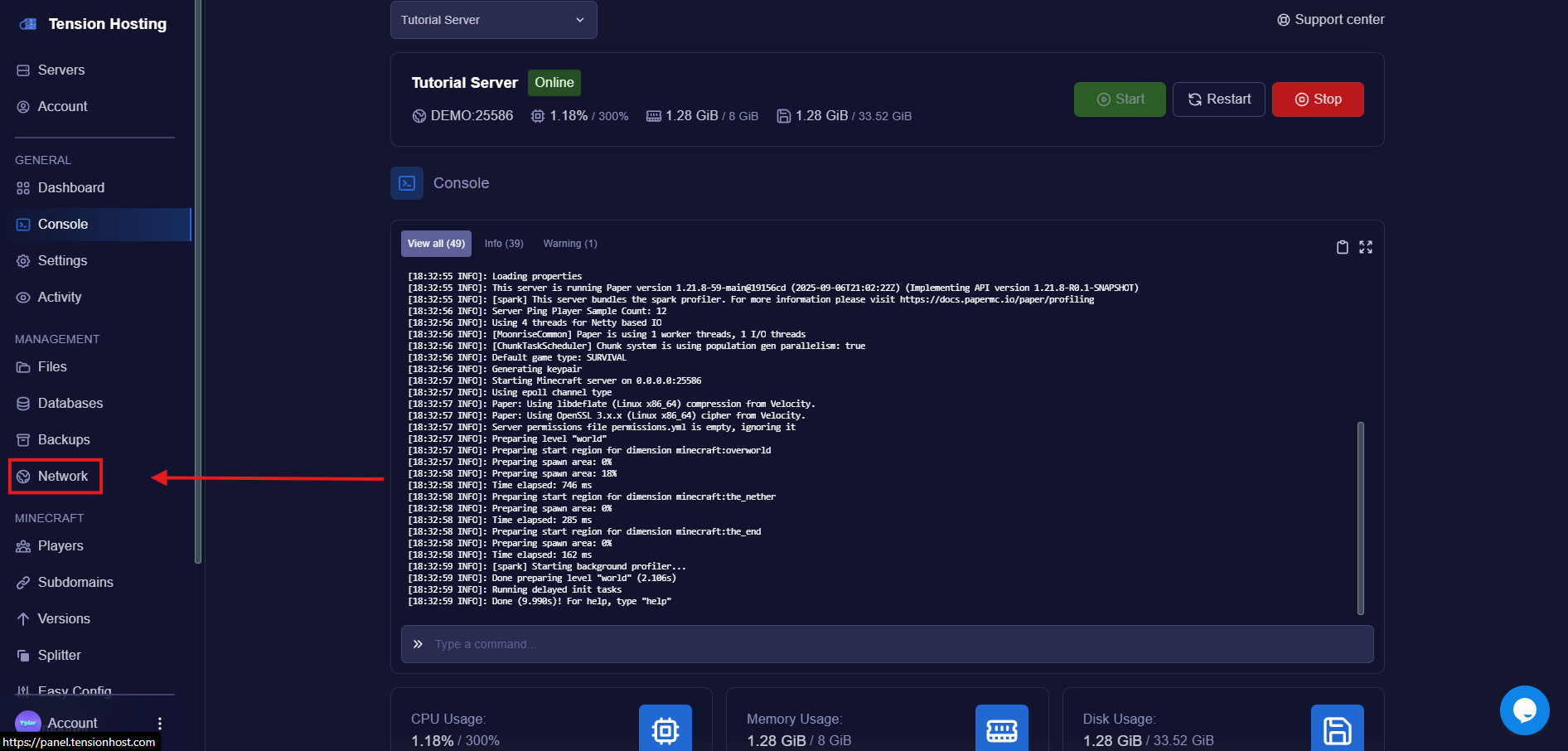
Go to the Network tab
Create a new allocation
This gives your server another accessible port, which voice chat can use. Make a note of the port number, you will need it in a minute.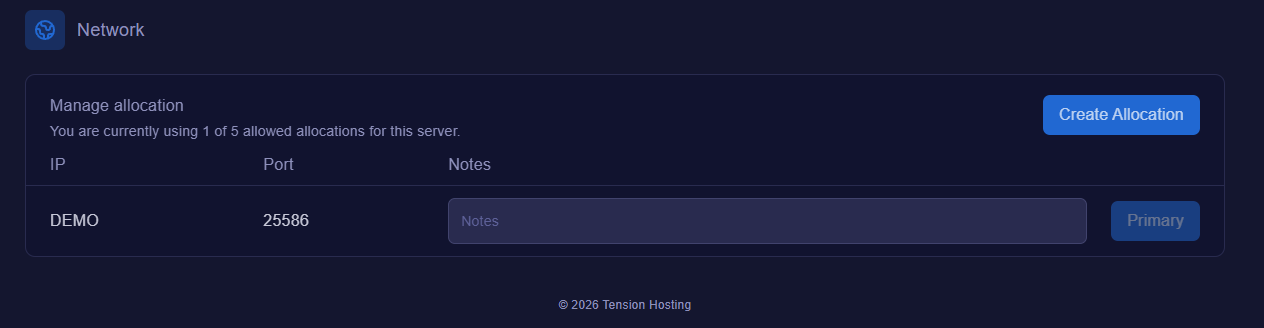
Open your voice chat config
In the file area, find the voice chat config. Where it lives depends on what your server is running:
- Paper, Spigot or Purpur: /plugins/voicechat/voicechat-server.properties
- Fabric, Forge, NeoForge or Quilt: /config/voicechat/voicechat-server.properties
Can’t find it? The file is only created after the server has started with Simple Voice Chat installed, so start the server once and check again.
Set the voice chat port
Find the line that says port=24454 and change the number to the port from the allocation you created before, then save the file.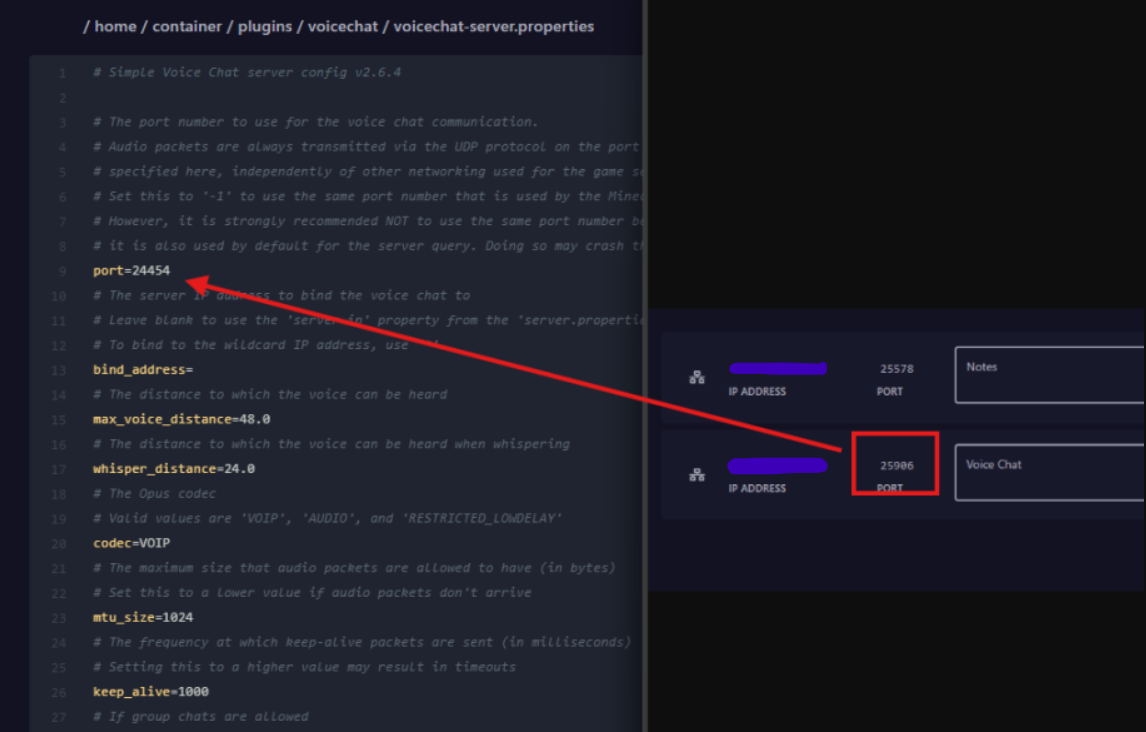
Restart the server
Restart so the config applies. You’re now set up to use voice chat! In game, players press the V key to open the voice settings and check their mic is working.