What actually gets moved?
Everything that makes your server yours lives in its files: the world folder, your plugins or mods and their configs, server.properties, the whitelist, ops, bans and player data. Move those files and you’ve moved the server. Your players won’t lose builds, inventories or progress. The only thing that changes is the IP address players connect with. If you use a custom subdomain like play.yourserver.com, you can point it at the new server and most players won’t even notice the move.Moving your server with the Importer
Get your new server
Pick a plan with at least as much RAM and storage as your current server. Not sure what you need? Check our RAM guide
Grab your old host's SFTP details
You need four things from your old panel: the SFTP host address, port, username and password. Most hosts show these on the settings or SFTP details page.Stop your old server before you carry on, so nothing changes while it’s being copied.
Watch the port. Lots of hosts use 2022 for SFTP rather than the default 22, so copy exactly what your old panel shows.
Open the Importer tab
On your new Tension server, head to the ” Importer ” tab.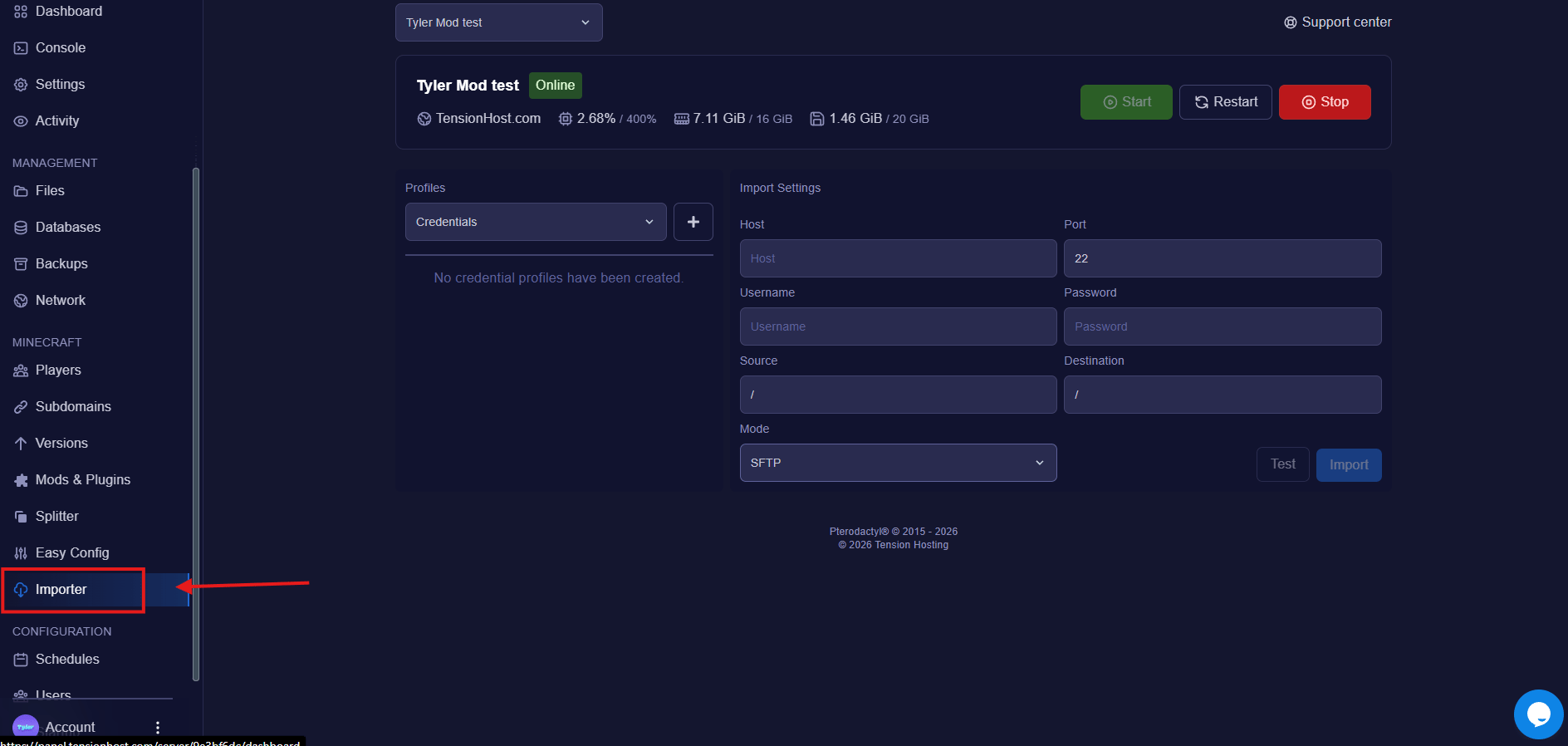
Enter the details and press Test
Fill in the Host, Port, Username and Password from your old host. Leave Source and Destination as / to copy the whole server, and keep the Mode on SFTP.Press Test to check the connection works before you commit.
Press Import
Hit Import and let it run. How long it takes depends on the size of your world and your old host’s connection, big modded worlds take a while, so leave it to it.
Match your version and start it up
Head to the ” Versions ” tab and set the same server software and version you were running before, Paper, Forge, whatever it was. Then start the server and check the console comes up clean.