
Introduction
Looking to change the MOTD of your Minecraft server? You’re in the right place! In this guide, you will learn how to see the MOTD of your server and tools to help you along the way!What is a MOTD?

Setting the MOTD
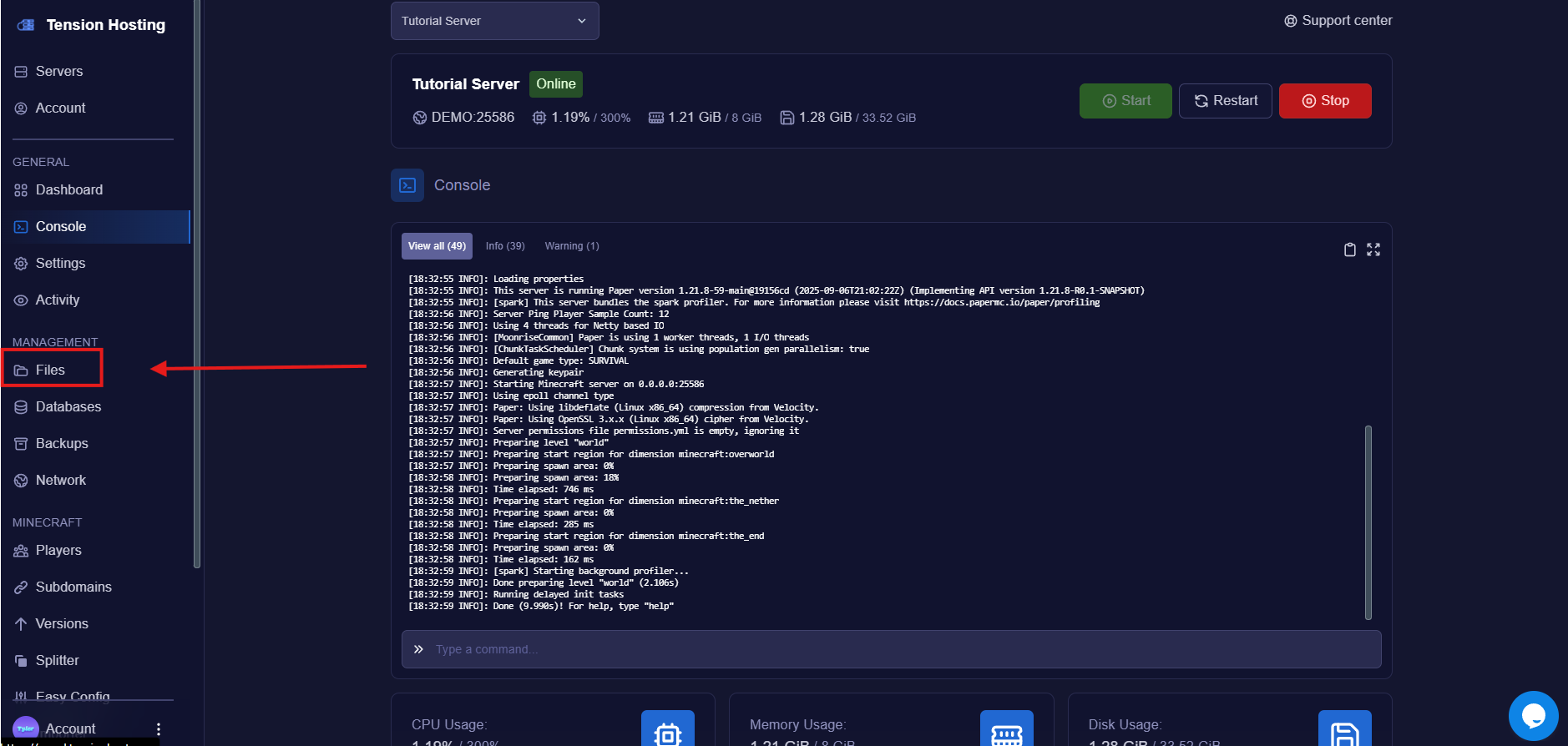
Navigate to the file area
Find the file called " server.properties "
This is where most of the configuration for your server is and where we will find the settings to change the MOTD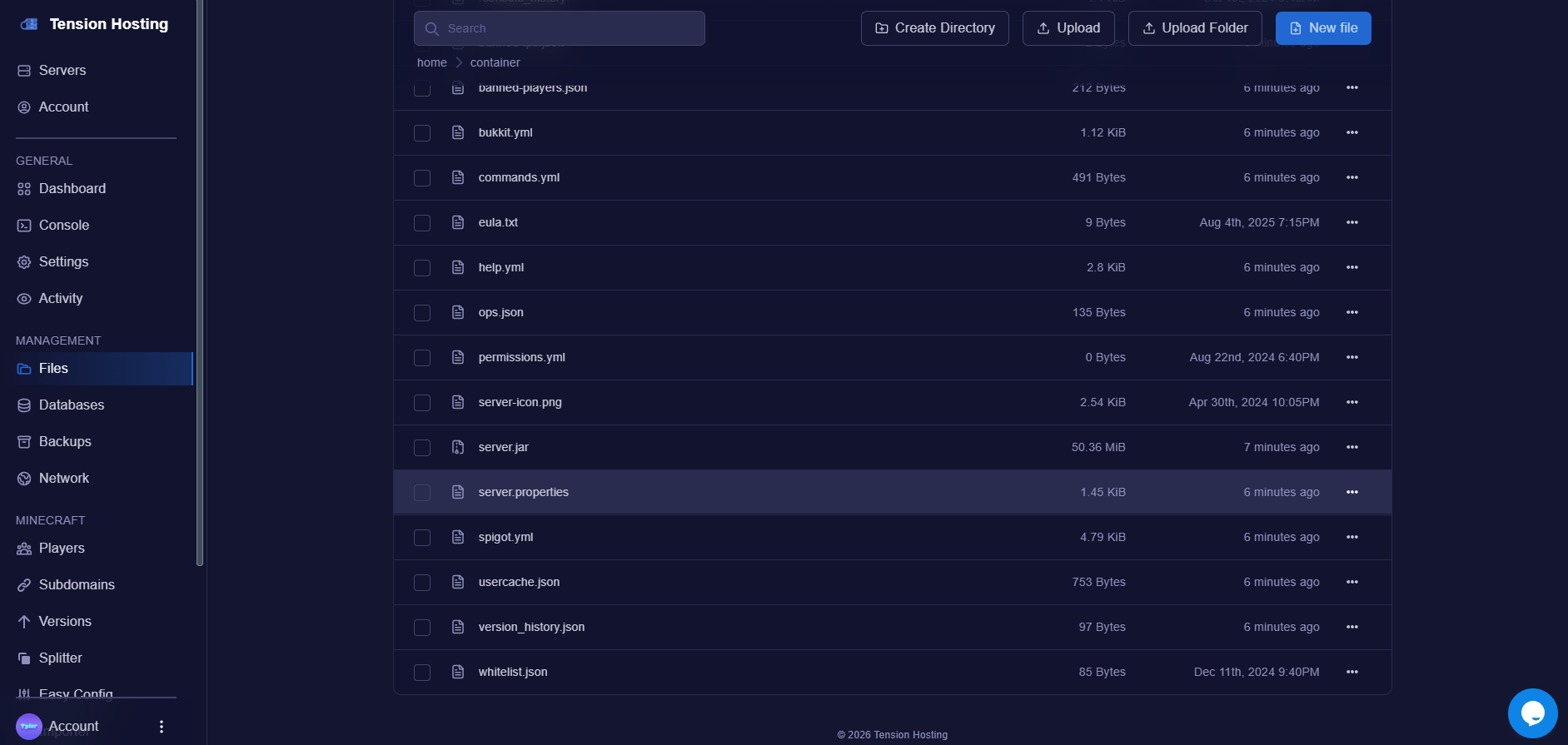
Change the MOTD
Now that the file is open, find the line called ” MOTD.” You can use the CTRL + F shortcut to find it more easily.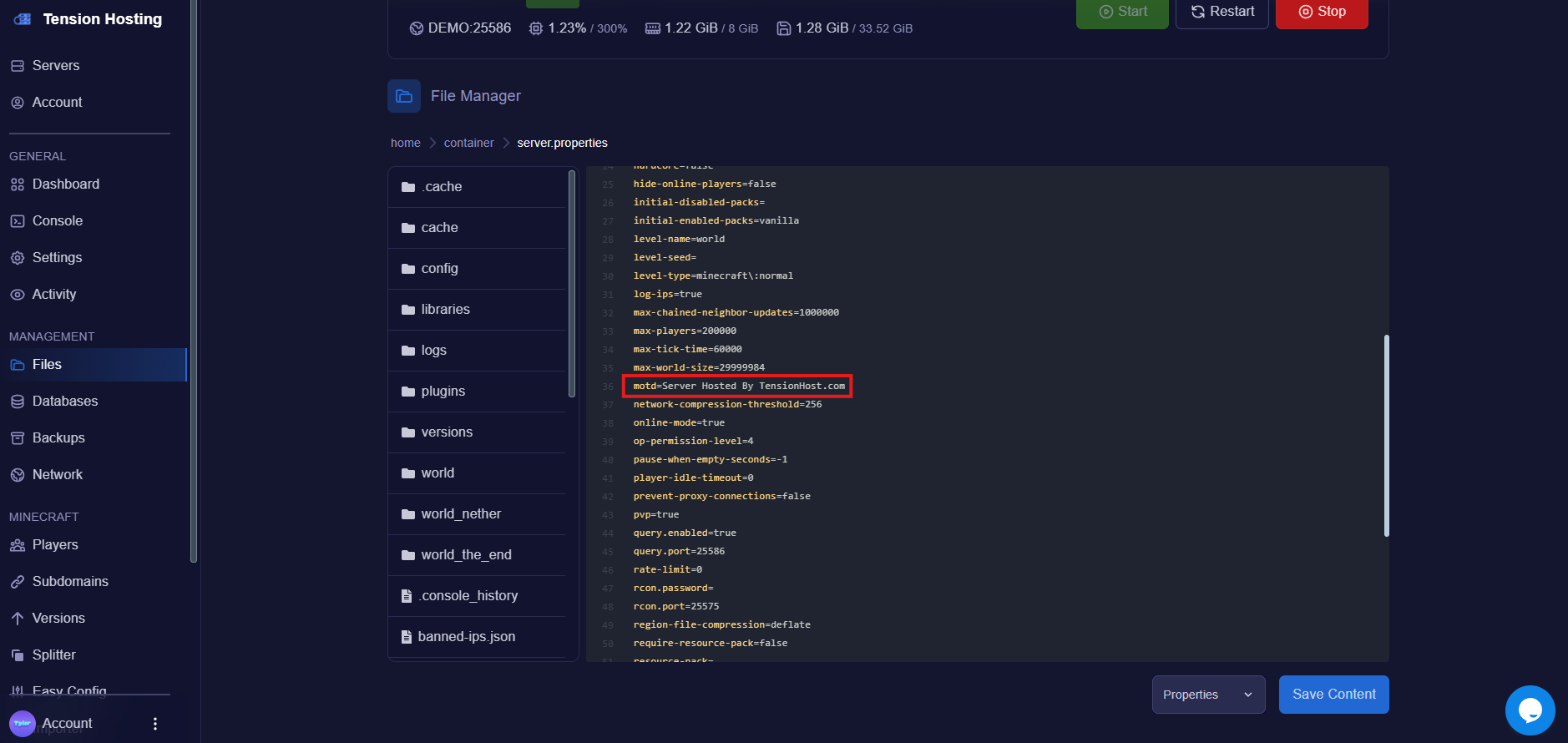
It’s that easy!
It’s that easy!