Changing your server icon
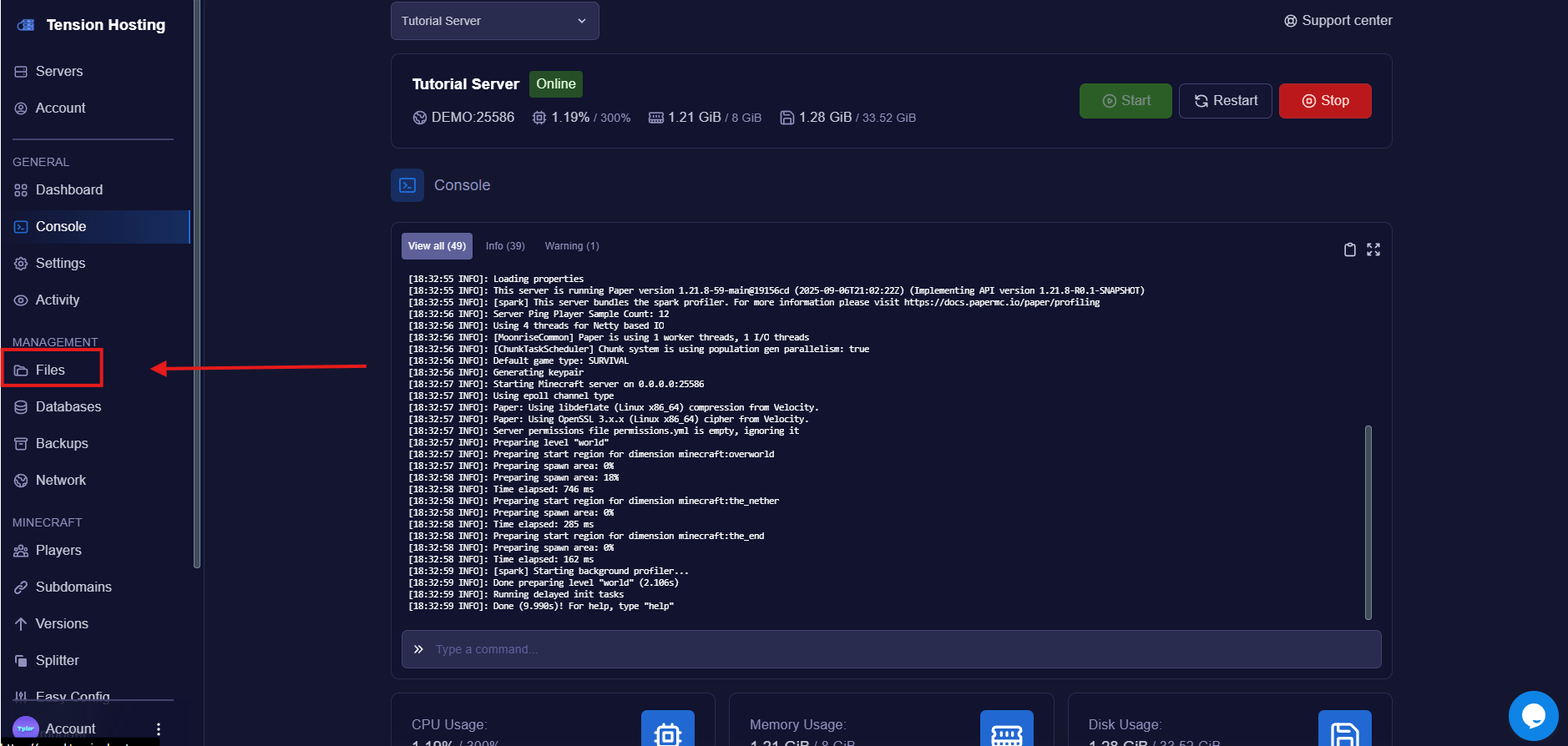
Navigate to the " Files " tab
Press the " Change Icon " button
This brings up an area where you can upload the icon of your choice.Normally a Minecraft server icon has to be an exact 64x64 PNG, but you can skip all that here. Upload any image and we resize it and make it compatible with Minecraft for you, no heavy lifting.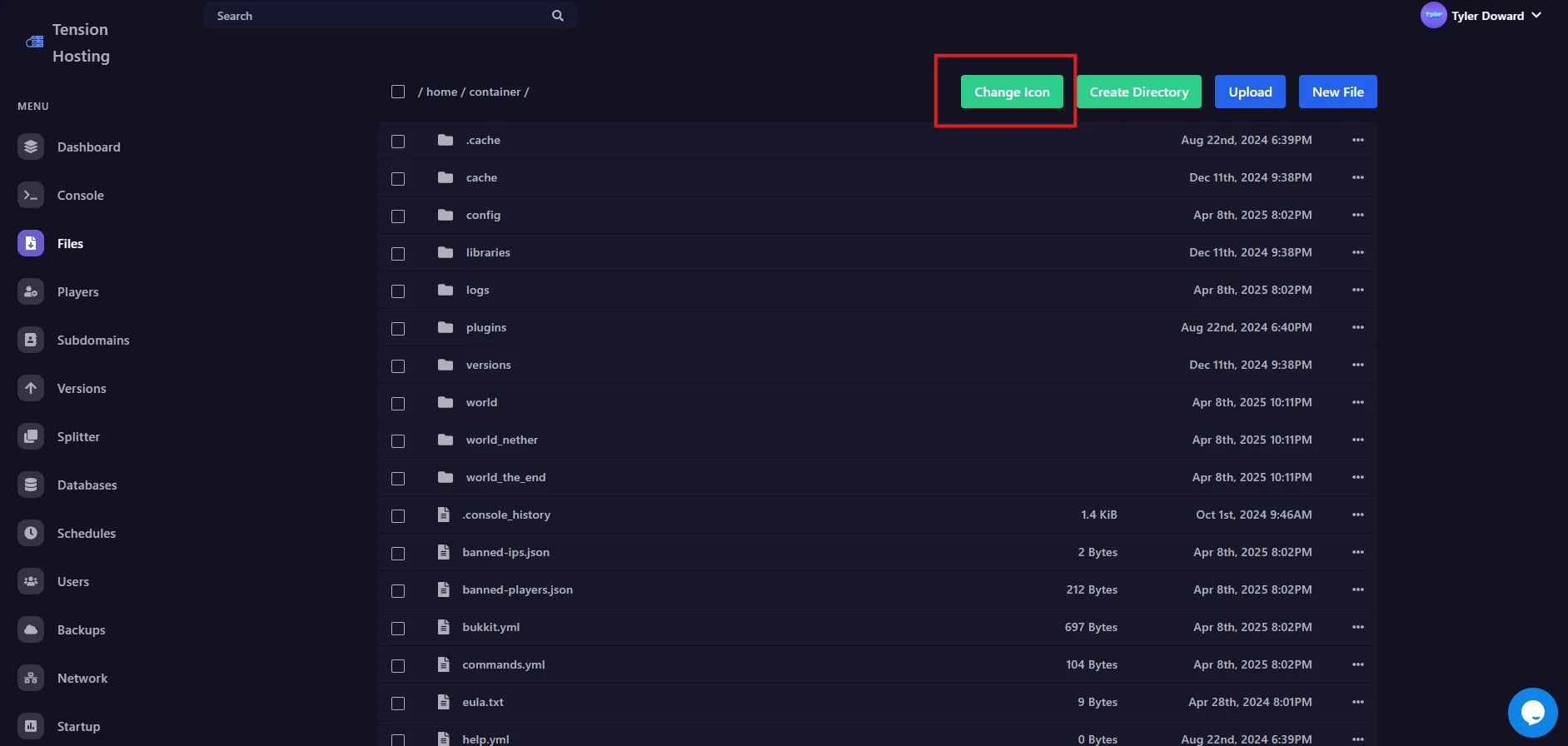
Restart and check the server list
Restart your server so the new icon gets picked up, then refresh your multiplayer list in game. There it is!